Habit Tracker With Reminders: Why Notifications Stop Working (And What to Do Instead)
You're not ignoring your reminders because you're lazy. Your brain has learned to filter them out. Here's the science behind reminder fatigue — and how tying reminders to proof changes everything.
Habit Tracker With Reminders: Why Notifications Stop Working (And What to Do Instead)
At some point, you stopped seeing your habit reminders.
Not consciously. You didn't decide to ignore them. But somewhere around day 12, your brain started processing the 8 a.m. notification the same way it processes white noise — present, registered, dismissed. You might even swipe it away in your sleep.
This isn't a technology failure. It's a neuroscience one. And adding more notifications won't fix it.
This article explains why habit reminders stop working, what the research says about notification fatigue, and how connecting a reminder to a required action — specifically, taking a photo — fundamentally changes the accountability loop.
Why This Problem Exists: The Neuroscience of Notification Fatigue
The brain is a prediction machine. Its primary function, according to modern predictive processing theory (Karl Friston's work is foundational here), is to model the world and generate expectations. When an input is highly predictable — same time, same notification sound, same content — the brain's prediction error signal is low. Low prediction error means low salience. Low salience means the signal gets deprioritized.
This is why your 8 a.m. habit reminder gradually becomes invisible. By week two, your brain knows it's coming. By week four, the prediction is so accurate that the notification barely registers in conscious attention. You've habituated to the habit reminder itself.
This phenomenon is well-documented in clinical settings as alarm fatigue — nurses in ICUs were found to respond to fewer than 10% of monitor alarms because the frequency made them indistinguishable from background noise. The same dynamics apply to personal notification behavior.
The cruel irony: the more reliably your app sends reminders, the faster your brain learns to ignore them.
Common Solutions (And Why They Fail)
More reminders at different times
Adding a second reminder, or randomizing notification times, provides temporary relief from habituation. But the brain adapts to variable schedules too — eventually. And more notifications creates more notification fatigue across your phone as a whole, degrading the effectiveness of every alert you receive.
Smarter notification copy
Some apps let you write custom notification text to make reminders feel more personal or compelling. "Time to meditate, future version of you depends on it!" These work initially, because novelty raises salience. They stop working for the same reason — the brain learns the pattern and deprioritizes.
Accountability partners checking in
Human reminders are more durable than automated ones, because social stakes are involved. But the logistics are unsustainable — people get busy, check-ins become less frequent, and the accountability gradually dissolves. You end up needing a second accountability system to keep the first one running.
Turning off other notifications to reduce noise
Reducing notification volume from other apps can temporarily elevate the salience of your habit reminders. This is probably the most effective of the conventional solutions. But it's also treating the symptom (noise floor) rather than the problem (there's nothing requiring you to act on the notification).
A Better Approach: Closing the Loop Between Reminder and Action
The fundamental problem with habit reminders is that they're open-ended. The notification says "time to meditate" and then waits. You can do anything with that information: actually meditate, dismiss it, snooze it, put your phone down, or simply absorb it and do nothing. There is no required response. The loop stays open.
When a reminder is tied to a specific required action — one that produces evidence — the loop closes.
Compare:
- Open loop: Notification → optional action → no verification
- Closed loop: Notification → required action → evidence produced → loop closed
The difference isn't motivational. It's structural. One design makes compliance optional and leaves you alone to decide; the other makes compliance the path of least resistance, because the evidence either exists or it doesn't.
How Habpic Solves This
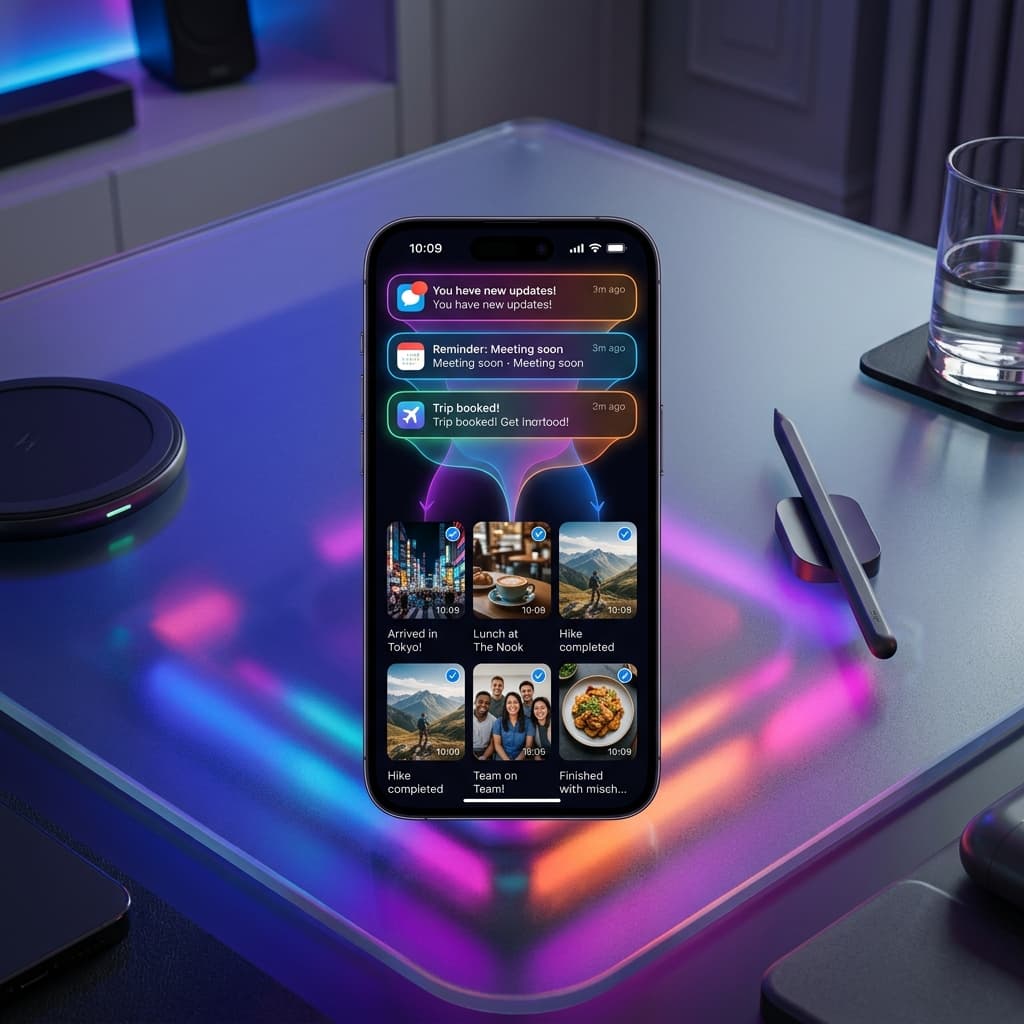
In Habpic, a reminder doesn't just ask you to do the habit. It invites you to prove it.
When your Habpic reminder fires, the implied request is: open the app, do the habit, take a photo. The reminder isn't complete until the photo exists. This creates a fundamentally different relationship to the notification:
It has a defined completion state. The reminder isn't satisfied by a swipe. It's satisfied by a photograph. That completion state provides the clarity that open-ended reminders lack.
It requires presence, not just acknowledgment. You can dismiss any notification from anywhere. You cannot take a photo of your workout from your bed. The photo brings you physically and cognitively into the moment of the habit.
It creates accountability to yourself. When you open Habpic after dismissing a reminder, your grid is there — visual evidence of every day you followed through, and every day you didn't. That visual record is a form of self-accountability that no notification alone can create.
The reminder as an opening, not a demand
One design choice in Habpic worth understanding: the reminder isn't a demand. It's an opening. It's an invitation to add a photo to your grid — to show yourself, again, who you're becoming.
This reframe matters psychologically. Research on self-determination theory (Deci and Ryan, widely replicated) shows that behaviors perceived as self-directed are more sustainable than behaviors perceived as externally imposed. A notification that says "you must" creates reactance. An invitation to add to your visual record creates agency.
The semantics of the reminder change its psychological function.
Real-World Example
Two people both want to build a daily hydration habit — drinking 2 liters of water a day.
Person A sets four reminders across the day on a standard app. By week two, she's habituated to all of them. She dismisses them without consciously registering what they say. Her hydration is inconsistent, but her phone is full of dismissed notifications.
Person B sets two reminders in Habpic — morning and afternoon. When each reminder fires, she photographs her water bottle. Not because she's forced to, but because the photo is the point. The reminder isn't a demand; it's an invitation to add two more photos to her grid today.
By week three, something interesting has happened: she's started taking the photos before the reminders fire. The photo mechanic has become the habit. The reminder has done its job and stepped back.
This is what a well-designed reminder should do: not replace the habit indefinitely, but support it until the behavior is self-sustaining. Habpic's mechanics accelerate that handoff.
Benefits of Habpic's Reminder System
- Reminders tied to action — not open-ended notifications but an invitation to prove
- Defined completion state — the reminder ends when the photo exists, not when you dismiss
- Works alongside habit formation — supports the behavior until it becomes self-sustaining
- Reduces alarm fatigue — fewer, more meaningful alerts beat more alerts
- Self-directed framing — photo is an invitation, not a demand
- Visual accountability — the grid shows compliance history at a glance
Frequently Asked Questions
How many reminders can I set per habit in Habpic? You can set reminders for each habit individually, and schedule them at times that make sense for your routine.
What if I dismiss the reminder? Dismissing the reminder doesn't log the habit. The only thing that logs completion is the photo. This is a feature: there's no way to accidentally or passively mark a habit done.
Does Habpic use smart reminders that adapt to my behavior? Habpic focuses on consistency and evidence over algorithmic scheduling. The reminders you set are the reminders you get — reliably, at the time you chose.
Can I turn off reminders and just track manually? Yes. Many users build the photo-taking behavior into their routine and stop relying on reminders entirely — which is the goal.
Will I become dependent on the reminders forever? The research on habit formation suggests that behaviors become autonomous after sufficient repetition — typically 60–90 days, depending on the habit. Habpic's photo mechanic accelerates autonomy by encoding the habit more distinctly in memory from the start.
Final Thoughts
Habit reminders stop working because your brain is doing exactly what it's designed to do: deprioritize predictable, low-consequence signals.
The fix isn't a better notification. It's a different loop — one where the reminder connects directly to an action that produces real evidence.
When your habit reminder asks for a photo instead of a tap, you're no longer being reminded to think about doing something. You're being invited to prove you did it.
That's a different relationship to consistency. And it's one that your brain can't habituate its way out of.
[Turn your reminders into proof with Habpic.]
Prove your progress.
Simplify your routine, clear your mind, and finally prove to yourself that you can change. Join our waitlist now to bridge the gap between inspiration and action.
 Download for iOS
 Download for Android